
Turn chores into a game your kids actually want to play.
A Home Assistant integration for family chore management, rewards, and streak tracking.






📖 Full documentation lives in the Wiki.
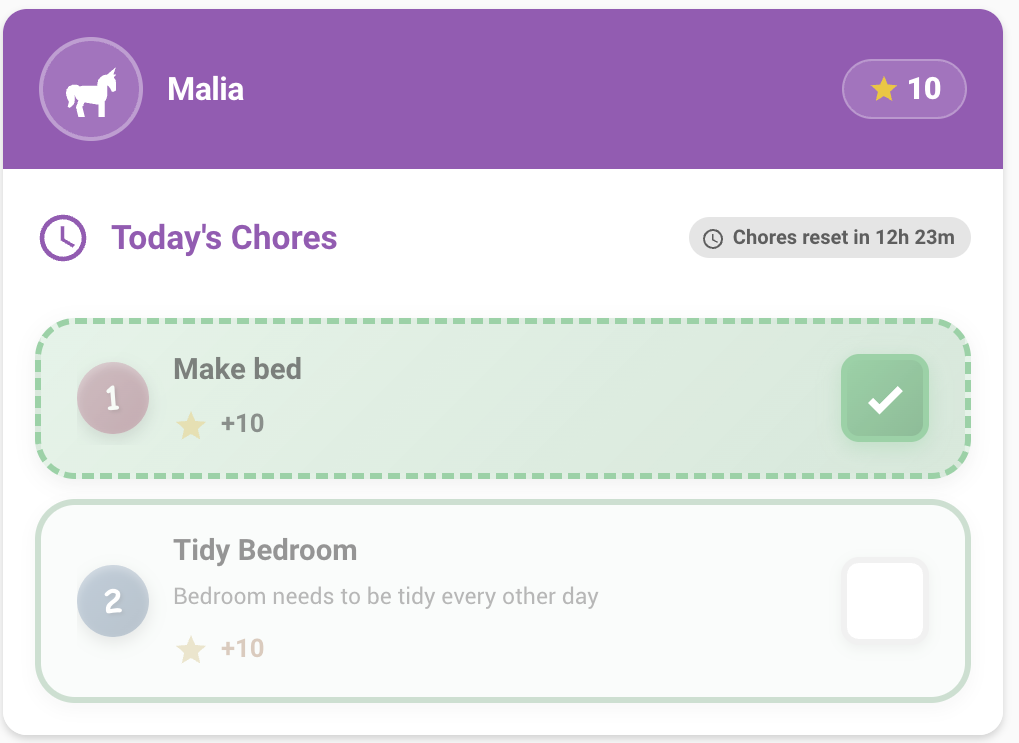
- Create chores — assign them to children, set point values and schedules
- Kids complete chores — tap the child card to tick them off, earn points, build streaks
- Parents approve — chores marked "requires approval" land in a pending queue
- Kids claim rewards — points are only deducted once a parent approves the claim
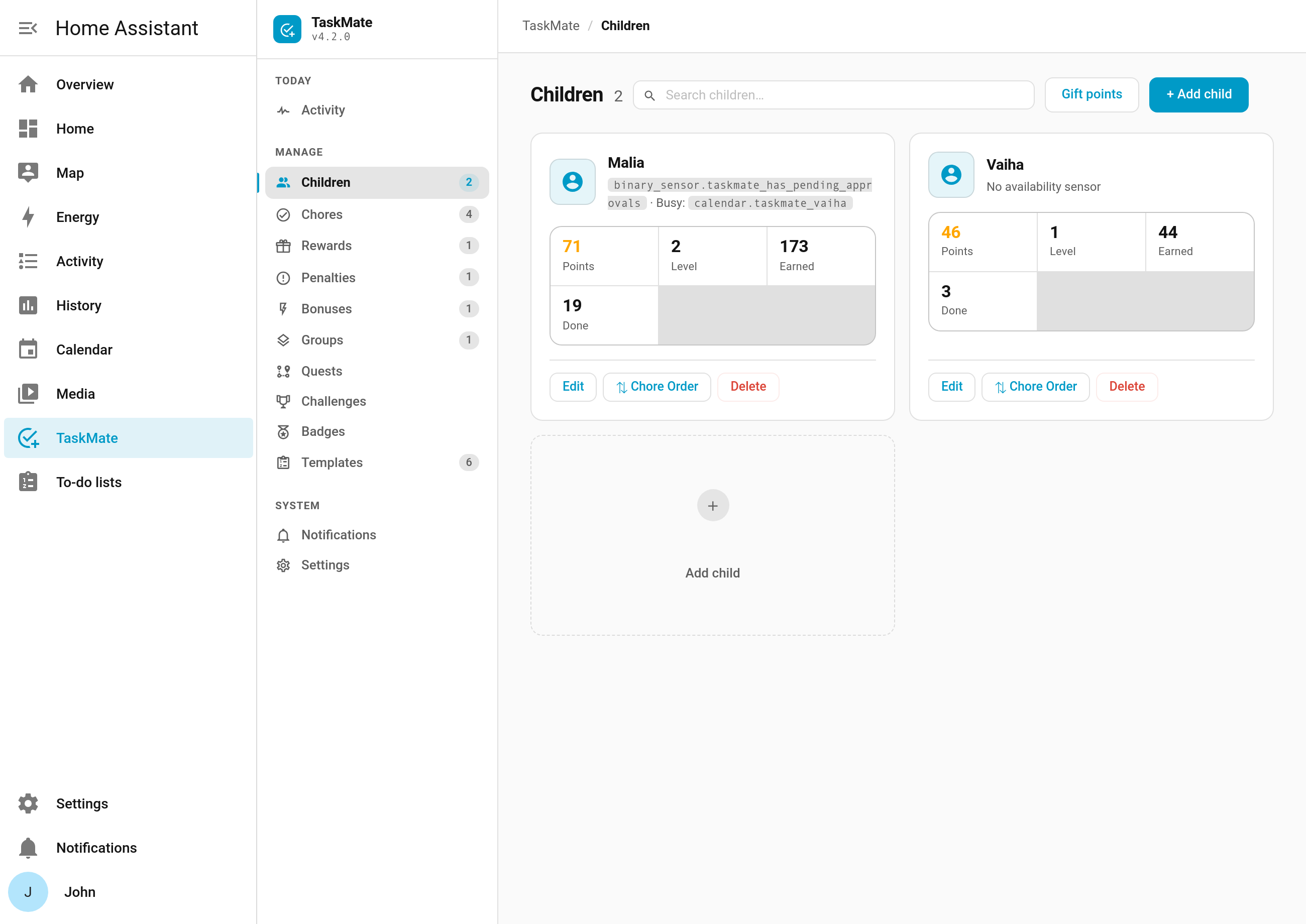
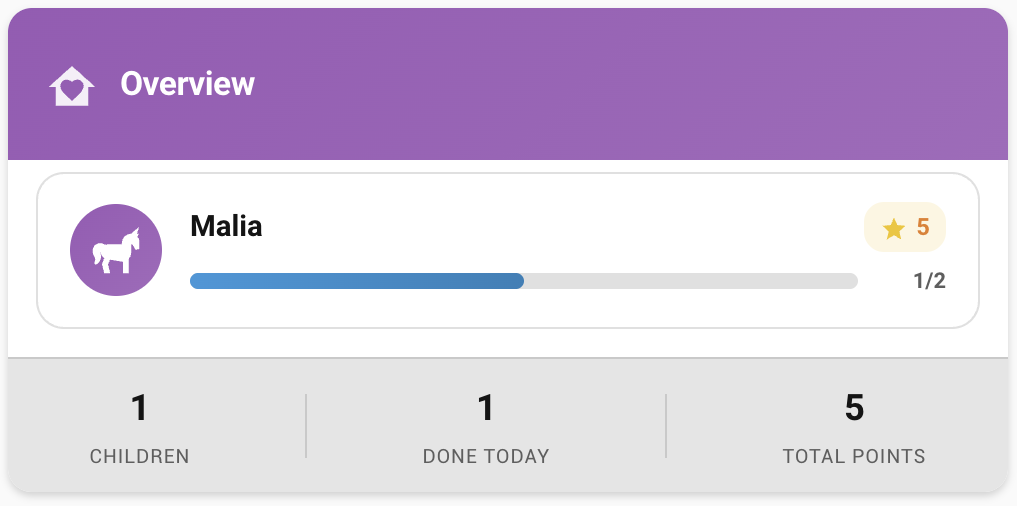
Everything is managed from the TaskMate panel in the Home Assistant sidebar, and surfaced on your dashboards through 21 Lovelace cards.
All data stays inside your Home Assistant instance. Nothing is sent to any external service.
TaskMate is a default HACS integration — no custom repository needed.
- Open HACS → search "TaskMate" → Download
- Restart Home Assistant
- Settings → Devices & Services → Add Integration → TaskMate
- Pick your points name (Stars, Coins, Bucks…) and icon — that's the whole config flow


Requires Home Assistant 2024.7+ and a current browser (Chrome, Firefox, Edge, or Safari).
For manual installation and the first-run walkthrough, see Installation and Getting Started.
Chores — flexible scheduling (specific days, recurring, rotation, first-come), difficulty tiers, dependencies, timed tasks, weekly targets for "three times this week, any day", photo proof, open-ended chores the child describes and you price at approval, swaps, vacation mode, and chores that appear or hide based on HA entity state or the weather.
Points & rewards — fixed-cost rewards with a parent approval flow, savings jars, bonuses and penalties, weekend multipliers and streak milestones, real-money allowance, shared family goals, timed device unlocks, and time-locked rewards that are only claimable on chosen days or between set hours.
Gamification — levels & XP, achievement badges, quests, challenges, unlockable avatars, celebrations, and leaderboard seasons.
Parent tooling — notifications with quiet hours and reminder escalation, multi-parent approval routing, a weekly digest, insight reports on fairness and friction, an audit log, and backup & restore.
Made for kids — Routine Mode for guided morning and bedtime flows, Pre-Reader Mode for children who can't read yet, Read Aloud to a media player, a printable fridge chart, custom completion sounds you can upload and pick per chore, and six card design styles including a high-contrast accessible theme and a clean corporate one.
Child undo window — off by default. Set Child undo window (seconds) in the TaskMate panel's Settings to anything from 1 to 3600 and a child can take back their own chore: a submission waiting for approval until a parent reviews it, and an automatically approved chore for that many seconds after they ticked it. The child and routine cards show an Undo button while it's allowed, on every design style and in picture mode. Points, chore count, streak and leaderboard score are all reversed. Once a parent approves (or otherwise reviews) a completion, only a parent can undo it, and anything completed while the window was 0 stays parent-only. Automations can call taskmate.undo_chore with a completion_id; it applies the same rules and the child's linked-account check. Leave the window at 0 and nothing changes: only parents can undo.
Kiosk mode — the TaskMate Kiosk card turns a shared wall tablet into a family check-in point: a picker of faces, an optional 4-digit PIN per child, then that child's chores for today with big Done buttons, their points, streak and next reward. It goes back to the picker after a spell without a tap (60 seconds by default) and straight after an "all done" celebration. There are no parent actions in it at all, no reward claiming, and chores that need a photo are greyed out for the child's own phone. PINs are set per child in the panel's Children dialog and stored hashed; the card only chooses which children need theirs, and wrong guesses lock that child's pad for a while. The PIN is a hand-over between siblings, not a permission: completions still go through the normal linked-account check for the tablet's Home Assistant user. Children linked to their own account, or every child while Require a linked account per child is on (unless the tablet signs in as a TaskMate parent), show "Ask a grown-up" instead of chores. Use the card's full-screen button, and the kiosk-mode HACS plugin if you also want to hide Home Assistant's sidebar and header.
Lovelace resources register automatically on startup. Edit your dashboard → Add Card → search "taskmate".
| For kids | For parents |
|---|---|
| Child · Rewards · Reward Progress · Points Display · Routine · Kiosk · Streak · Badges | Approvals · Parent Dashboard · Overview · Activity · Points · Reorder · Penalties · Bonuses · Weekly · Graph · Leaderboard · Calendar · Family Goal · Photo Gallery |
Every card takes a header_color and a card_design option. See Dashboard Cards for each card's full configuration.
| Getting Started | First-time setup walkthrough |
| Admin Panel | The management hub in the HA sidebar |
| Settings | Every configurable setting in one place |
| Dashboard Cards | All 21 Lovelace cards and their options |
| Services | Every callable service, with examples |
| Sensor Reference | All entities and their attributes |
| Automations | Bus events, blueprints, and examples |
| Voice Assistants | Ask Assist about chores and points |
| Localization | Supported languages and translating |
| Troubleshooting | Common issues and fixes |
| FAQ | Frequently asked questions |
→ Browse the full wiki — 70+ pages, one per feature.
Release notes for every version live on the Releases page.
Bug reports and feature requests are welcome in Issues; questions and ideas belong in Discussions. Pull requests are welcome — see CONTRIBUTING.md.
MIT — see LICENSE.
Originally created by vinnybad/choremander. This fork adds 21 Lovelace cards, an admin panel, a bonus points system, streak tracking, reward approval flow, a penalty system, and much more.