Skip to content

Latest commit


History

9 Commits

Folders and files

NameName
Last commit message
Last commit date


Repository files navigation

An Old Hope (IntelliJ Color Theme)

An IntelliJ theme based on @JesseLeite's Atom theme inspired by a galaxy far far away...

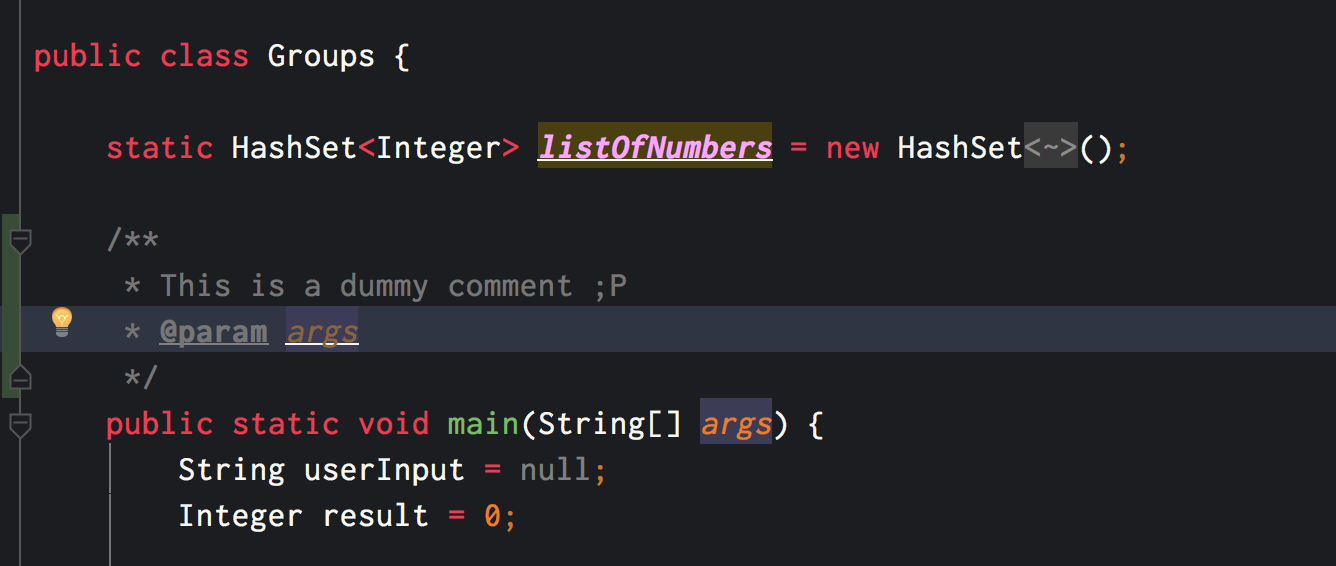
palette

Screenshot

intellij-screenshot

How to install

  • If you are a mac user go to ~/Library/Preferences/<your-intellij-folder>/colors/ and copy the An Old Hope.icls theme.

  • If the folder doesn't exit you can create it and copy the icls file into it.

  • If you have your IntelliJ opened restart it again.

About

The Sublime theme from Atom theme by @jesseleite's and inspired by a galaxy far far away... Converted to IntelliJ Theme

Topics

Resources

Stars

4 stars

Watchers

0 watching

Forks

Releases

Packages

Contributors